iPadOS 26: dismantling the iPad experience while looking good
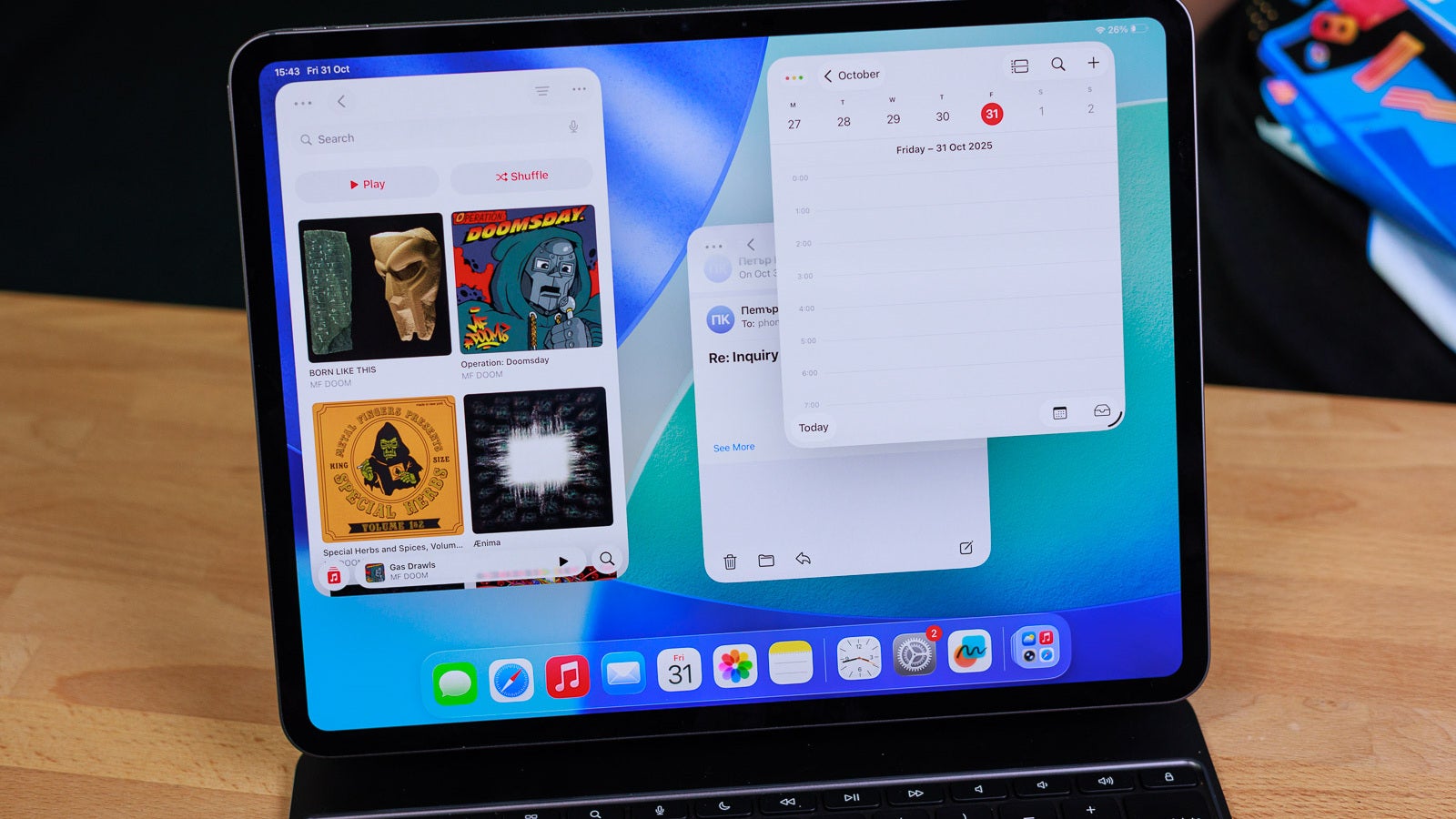
iPadOS 26 is the biggest thing that happened to the iPad since the iPad Pro. It redefines the entire experience, but that’ll require some getting used to.
iPadOS 26 is the biggest thing that happened to the iPad since the iPad Pro. It redefines the entire experience, but that’ll require some getting used to.
The online Apple Store incorrectly priced an Apple accessory allowing some to take advantage of the pricing.
Macworld The macOS Tahoe update was one of the biggest changes to Apple’s Mac operating system in years. Not only did we get an entirely new look and feel in the form of Liquid Glass, but there were improvements to Apple Intelligence, a souped-up overhaul of Spotlight, iPhone features like Live Activities and Call Screening, and a whole lot more. But with all the attention focused on the headline features, you might not have noticed that macOS Tahoe is overflowing with little adjustments that add up to make a big difference. There are overlooked additions pretty much everywhere you look-pay attention to them and you might find your Mac experience is taken up a notch. Here, we’ve put together seven of our favorite little-known updates found in macOS Tahoe. Spotlight superpowers If you’ve been using macOS Tahoe, you’ve probably seen the new design and power user features that have been brought to Spotlight. But underneath the new app list and Quick Keys functionality, there are other tools that are well worth exploring. For example, one of Spotlight’s core functions is as a search engine on your Mac. In Tahoe, it’s been given extra powers, so you can search within your open windows and tabs to find that pesky website you were browsing earlier in the day. Or by typing out a website name (like Amazon), pressing Tab, then entering your query, you can search directly within a website right from Spotlight. Spotlight offers robust tools for navigating your Mac and more. Foundry There are other additions, too, like the ability to browse through your clipboard history and past Spotlight searches. These changes add up to transform Spotlight into the power user tool it was always meant to be. Mac control As the name suggests, the macOS Control Center is used to house controls and toggles for various apps and widgets. You can start playing music there, for example, or manage AirDrop. But because you access it from a button in your menu bar, it’s easy to forget it exists. The Control Center offers more customization options for you. YouTube / Apple In macOS Tahoe, that doesn’t need to be the case anymore, as you can drag controls out of the Control Center and house them in your menu bar, ensuring they’re always visible and accessible. Third-party apps can now add their own controls, so you’re not just limited to Apple’s options, and there’s an intuitive controls gallery that makes finding and enabling items in the Control Center a lot easier. With these improvements, the Control Center no longer needs to be macOS’s forgotten tool. Gaming goodness There’s no doubt about it: macOS gaming is big news these days. A combination of powerful chips and AAA titles migrating to the Mac means Apple’s computers are bona fide gaming machines in their own right. And in macOS Tahoe, there are two little-known features that can make your gaming sessions even more enthralling. The first is MetalFX Frame Interpolation, which is Apple’s take on frame generation. This creates an extra frame for every two frames generated by your game, with the end result being a far smoother gaming experience than Apple’s hardware might otherwise be able to produce. The second feature is MetalFX Denoising, and this enables real-time path tracing in compatible games, which results in much more realistic lighting effects wherever it’s applied. Both MetalFX Frame Interpolation and Denoising need to be utilized by game developers-they’re not features you enable yourself. That means they’re easy to overlook, but the impact on your gaming experience could be profound. macOS Tahoe is optimized for improved game performance. Apple Shortcuts automations Shortcuts has long been one of my favorite Mac apps, and it’s the perfect way to hand over repetitive tasks to your Mac or run complex scripts that would be tedious to perform yourself. With macOS Tahoe, Shortcuts can now perform automations, which makes things even more streamlined. In practice, that means that your favorite shortcuts can run automatically, such as at a defined time of day or when you take a specific action. So, you might save a file to your desktop, which then triggers a shortcut that moves images to your Pictures folder and everything else to your Documents folder. Automations can also be kicked off when you hook up an external display to your Mac, so you can start a work-related Focus mode or enable Dark Mode as soon as your monitor is connected, all without needing to perform a single click. To turn on advanced tracking and fingerprinting protection in all browsing, go to Safari > Settings > Privacy, then click the Advanced button. Foundry Privacy protections Apple has long taken user privacy seriously, and that tradition has been strengthened in macOS Tahoe thanks to the expansion of Safari’s privacy defenses. In particular, Advanced Fingerprinting Protection can now run in every Safari session and browser window, instead of just while you’re using Private Browsing. This protection ensures that websites and advertisers cannot collect certain markers-like your operating system details or web browser choice-and use them to build an identifiable profile of you. That keeps you safe from invasive adverts and nefarious tracking practices that you might not even have been aware of. Apple didn’t make a huge fuss about this new feature, but it’ll be very welcome if you care about your privacy. Filter unknown callers In summer 2025, Apple’s Worldwide Developers Conference (WWDC) highlighted a set of new features designed to filter out unknown numbers and screen callers before they are able to reach you. But these new tools don’t have to be limited to your iPhone; some of them can also protect your FaceTime experience in macOS Tahoe. If you opt in to the Unknown Callers filter in FaceTime, any screened calls from unknown numbers are automatically sequestered into a separate area of your call list, ensuring they don’t clog up your home page. If you later mark a number as known, that person will be able to call or text you in the FaceTime, Phone and Messages apps as normal. It’s a small tweak, but one that could clean up your apps and keep unwelcome callers away from your Mac. Call Filtering in FaceTime can be found in FaceTime > Settings > FaceTime. Foundry Journal on your Mac Apple’s Journal app has always felt a little lackluster, and more to the point, it’s long been limited to iOS. With macOS Tahoe, though, it’s finally made its debut on the Mac. Not only that, but it’s now equipped with a host of new features that make it a more complete way to jot down your thoughts throughout the day. You can now create multiple journals within the app, letting you keep different aspects of your life separate and organized. The layout of each entry can be augmented with photos, videos and other attachments, and there’s also a map view that lets you revisit the places mentioned in each entry. With the ability to add to your journal on your Mac, longer entries should now be a lot more comfortable to write than attempting to do so on your iPhone, as you previously had to. Journal in macOS Tahoe can sync to iCloud so your iOS entries appear, as well. Foundry.
Apple (AAPL) Q4 2025 earnings results beat revenue expectations, miss EPS whisper number
Listen to the Apple (AAPL) Q4 2025 earnings call here
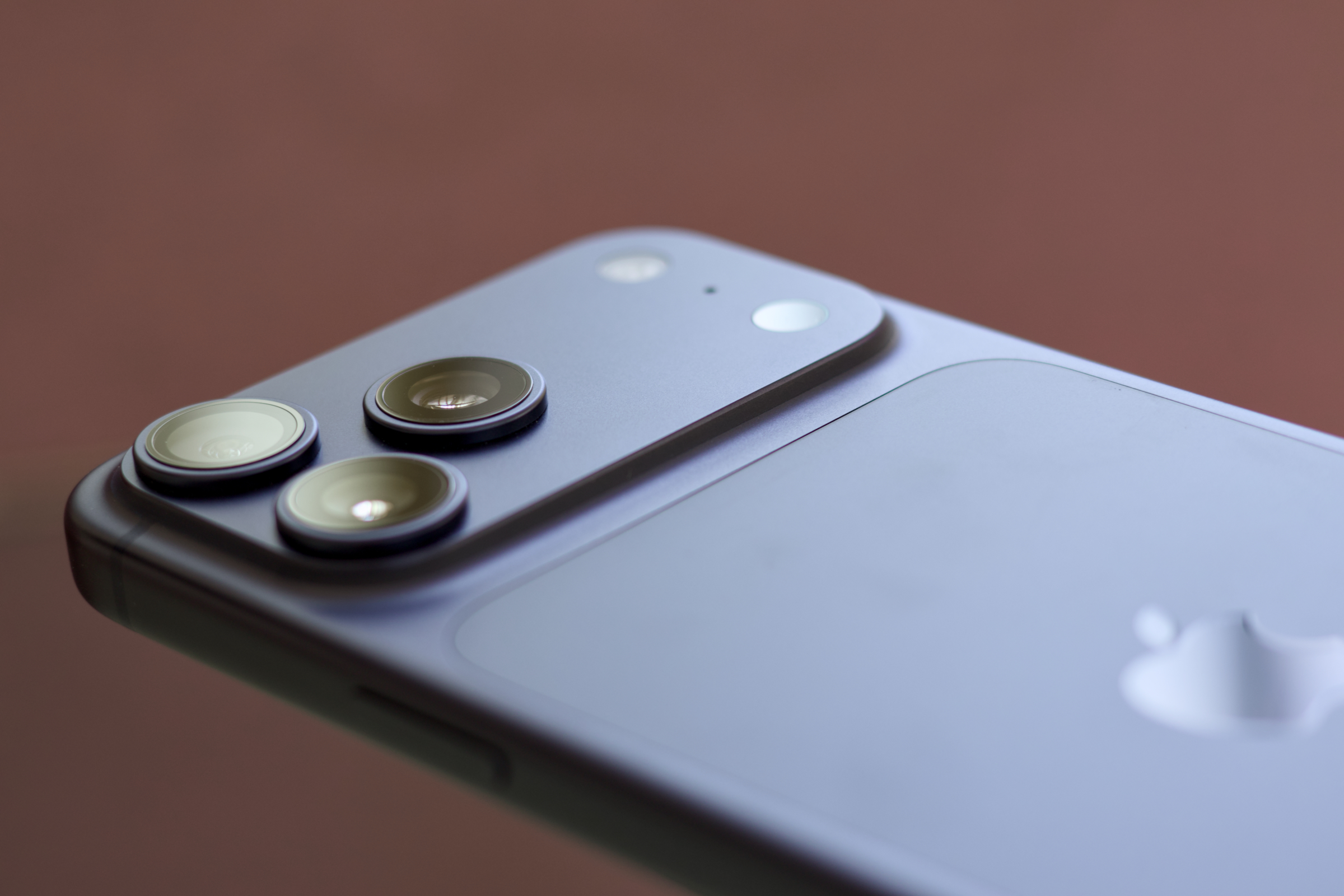
Macworld 2026 iPhone 18 series: Summary iPhone 18 Pro and Pro Max are expected to launch in September 2026 iPhone 18 and 18e might not arrive until spring 2027 Folding iPhone also said to launch in September 2026 Smaller dynamic island, camera aperture enhancements, C2 5G modem Another year, another iPhone, right? Not so fast. As Apple demonstrated with the iPhone Air in 2025 and the surprisingly full-featured regular iPhone 17, sometimes the company can surprise us with something new. In addition to the ultra-premium folding iPhone, Apple is said to introduce the iPhone 18 Pro and Pro Max in the fall of 2026, and then in a new scheduling shakeup, the base iPhone 18 and iPhone 18e in the spring of 2027. Here’s a quick summary of what all the rumors and leaks say to expect from the iPhone 18 models. iPhone 18/18 Pro: Latest rumors October 27: Weibo leaker Digital Chat Station reports that the iPhone 18 Pro Max will have a variable aperture lens for the first time. iPhone 18/18 Pro design: Three models, similar designs Currently, the rumors suggest we’ll see a base iPhone 18, an iPhone 18 Pro, and an iPhone 18 Pro Max. That is in addition to any not-iPhone 18-models like the rumored folding iPhone and second-generation Air. The designs are said to resemble the current iPhone 17 line. The base iPhone 18 will have just the smaller camera bump found on the iPhone 17, while the Pro and Pro Max will have the wider raised “plateau” with three cameras. Screen sizes should be consistent with the 6. 3 and 6. 9-inch displays on the current models. One possible design change, according to a Weibo leaker, is with the charging area on the back of the iPhone 18 Pro models. Reportedly, the ceramic shield section will be “slightly transparent,” but it’s not fully clear what that means. iPhone 18/18 Pro camera: Aperture upgrades Apple just upgraded the iPhone 17 camera system with 48MP sensors, so it’s unlikely there will be any significant changes to the hardware. One significant rumor we’ve heard about the iPhone 18 camera system comes from leaker Digital Chat Station on Weibo, who reports that the iPhone 18 Pro Max (and only that model) will get a camera with a mechanically-adjustable aperture like DSLR cameras. This would give users great control over background blurring, but primarily with the ability to keep the foreground and background sharp. The iPhone 18 Pro and Pro Max’s telephoto lenses are also expected to have a larger overall aperture for sharper pictures in low-light situations. Expect changes to the aperture of the iPhone 18 Pro. Britta O’Boyle iPhone 18/18 Pro: Dynamic Island Apple hasn’t changed the size or shape of the Dynamic Island since its introduction on the iPhone 14 Pro, but some reports suggest there may be changes coming to the iPhone 18’s camera cutout. Some have claimed there will just be a pinhole cutout for the camera, with the whole Face ID assembly under the display, but most reports suggest those changes will be limited to the folding iPhone or arrive on the 20th anniversary model. However, it still may look different. The ever-reliable Mark Gurman at Bloomberg has claimed that Apple will “shrink” the Dynamic Island on the iPhone 18 models, which suggests that some of the several sensors and emitters required for Face ID will be under the display or combined. iPhone 18/18 Pro specs: A20 chip The iPhone 18 line will feature a new A20 processor, likely made using TSMC’s new 2nm fabrication process (which can allow for more complex chips in the same area, and could potentially allow for better power efficiency). The A20 is rumored to use a new process called Wafer-Level Multi-Chip Module (WMCM) packaging to incorporate the RAM into the SoC’s package. It’s not clear what the benefit will be, but more tightly integrated RAM can mean more memory bandwidth and lower RAM latency, or better power efficiency. iPhone 18/18 Pro: Wireless connectivity While the iPhone Air features a more advanced version of Apple’s C1 modem, dubbed the C1X, the other iPhone 17 models still use Qualcomm wireless modems. That’s likely to change in the iPhone 18 line. We’re told to expect a new C2 modem in the iPhone 18 phones, including the Pro and Pro Max. It’s not yet clear what features it will offer, but of course should deliver better performance and energy efficiency than the C1X and likely support high-speed mmWave networks in addition to the standard sub-6 networks. Apple debuted its local networking chip in the iPhone 17 line as well; the N1 supports Wi-Fi 7, Bluetooth 6, and Thread networking. We haven’t heard anything about an N2 on the way, and honestly, one probably isn’t needed so soon. Could Apple have an “N1X” surprise in store the way it did with the C1X? It’s possible, but so far the rumor mill expects Apple to build the iPhone 18 line with the same N1 chip as found in the iPhone 17. However, a report from The Information says that Apple is gearing up to support 5G networks that are served from satellites, namely Starlink satellites. iPhone 18/18 Pro release date: Split launch There have been consistent reports for some time that Apple will change up its release schedule. In September 2026, Apple will reportedly only release the high-end models: iPhone 18 Pro and Pro Max, the new folding iPhone, and perhaps an updated iPhone Air. That means the base model iPhone 18 will wait until spring 2027, when it will reportedly arrive alongside the iPhone 18e. This is a big departure for Apple, and it means that the new iPhones next year will all have price tags of $999 or more. iPhone 18/18 Pro pricing: A wide range We haven’t seen any reports about changes in pricing to the existing iPhone lineup in 2026. As it stands, the iPhone 17 starts at $799, the iPhone Air is $999, and the iPhone 18 Pro and Pro Max models start at $1,099 and $1,199, respectively. However, the arrival of the folding iPhone could dramatically change the pricing structure, as it will reportedly have a starting price of $1,999 or more.
Apple announces M5 chip built for AI